Step by Step Guide 2026
🇵🇭
Police Clearance VerificationVerify Your Certificate Online in Minutes
Police clearance verification is now one of the most important steps for job applications, visa processing, school admissions, and government requirements in the Philippines. Many people get their police clearance certificate but forget to verify if the document is officially registered and valid in the PNP system. A small mistake, fake certificate, or invalid clearance number can cause delays, rejected applications, or serious problems during background checks.
✓ 24/7 Access
✓ Free to Use
✓ Any Device
What Is Police Clearance Verification?
Police clearance verification is the process of checking whether your police clearance certificate is real , active, and officially issued by the Philippine National Police (PNP). The police clearance verification system prevents fake certificates and ensures that the document presented is authentic.
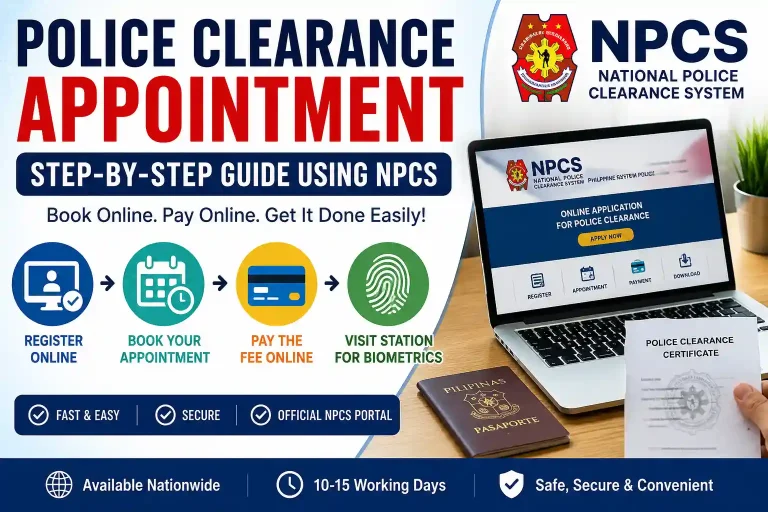
How to Apply for Police Clearance in the Philippines
Before performing police clearance online verification, you must first apply for a police clearance certificate.
Step 1: Register on the PNP Clearance Website
You will need:
Step 2: Fill Out the Online Application Form
Provide personal details including:
Always double-check your information before submission to avoid delays or HIT status.
Step 3: Schedule an Appointment
Step 4: Pay the Clearance Fee
Pay the fee by following payment options:
Step 5: Visit the Police Station
Bring your valid IDs and appointment reference number. During your visit, officers will complete:
Step 6: Receive Your Police Clearance Certificate
After successful processing, your certificate will be released with:
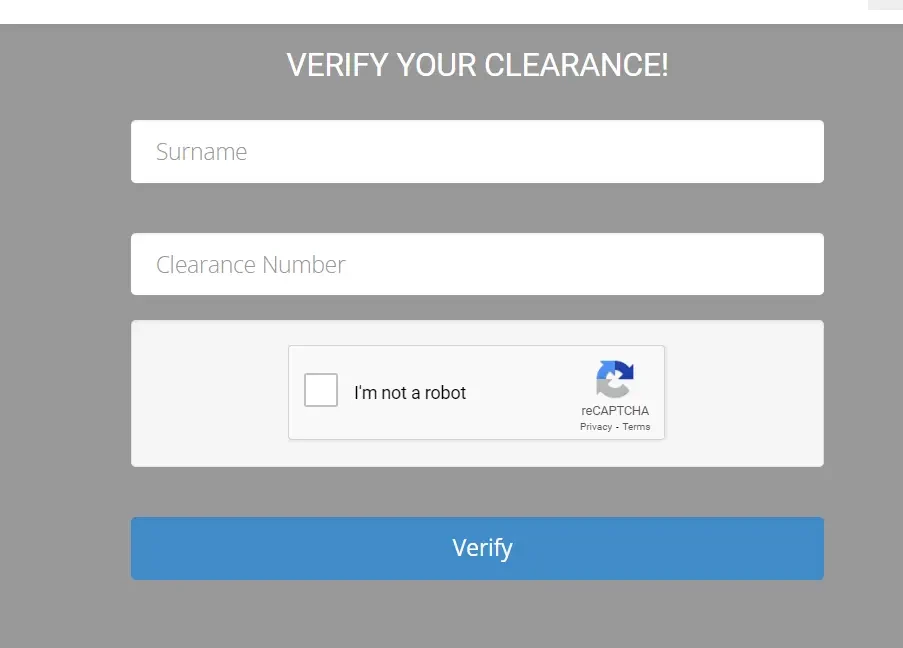
How to Verify Police Clearance Online via PNP Website
The easiest method for police clearance verification online is through the official PNP verification portal. Follow these simple steps.
Step 1: Visit the PNP Verification Portal
This is the official system used for national police clearance certificate verification online
Step 2: Enter Your Details
Enter the following information exactly as written on your certificate:
Incorrect details may result in verification errors.
Step 3: Complete the CAPTCHA
Step 4: Click Verify
If the Clearance Is Valid
If the Clearance Is Fake or Invalid
You will receive this message:
“National Police Clearance Invalid!”
This usually means:
Verifying Police Clearance Using the QR Code
Every official police clearance verification certificate issued by the PNP contains a QR code at the bottom left corner. This feature allows faster and easier verification.
Step 1: Open Your Phone Camera or QR Scanner
Step 2: Scan the QR Code
Step 3: Open the Verification Link
Step 4: Check the Certificate Information
Verify that the online information matches your printed certificate, including:
If the information does not match, your clearance may be invalid. This QR system is commonly used for:
How to Verify Through the Issuing Police Station
If online verification does not work, you can contact the police station that issued your clearance.
Step 1: Find the Station Contact Information
Search online for the police station’s:
Step 2: Contact the Police Station
You may:
Explain that you want to perform a police clearance verification check.
Step 3: Provide Certificate Details
Prepare the following:
The police station can confirm whether your certificate is authentic.
Common Reasons Why Verification Fails
Sometimes users experience problems during police clearance verification Philippines procedures. Here are the most common causes.
Incorrect Personal Information
Wrong spelling in your:
can cause verification mismatches.
Fake or Tampered Certificates
The PNP system can detect unofficial or altered certificates.
Expired Certificates
Some institutions only accept recently issued police clearances.
Database Delays
Occasionally, newly issued certificates may not immediately appear in the online system.
A verified clearance confirms that:
Without verification, some institutions may reject your application.
Common Reasons Why People Need Police Verification Clearance
Following are the reasons you might need a verified police clearance certificate.
1. Job Applications
Many employers now require police verification clearance before hiring employees. This is especially common in:
Employers use police clearance verification check systems to ensure applicants have no criminal records.
2. Visa and Immigration Applications
3. School and University Admissions
Some schools and universities require a verified police clearance before enrollment, especially for:
4. Professional License Applications
Many professions require a clean background before granting licenses, including:
A verification of police clearance certificate helps confirm moral and legal qualifications.
5. Adoption Applications
During adoption procedures, authorities conduct a background check to ensure the safety of the child. A verified police clearance helps prove the applicant has no criminal history.
Frequently Asked Questions
Police Verification FAQ
Conclusion
The process of police clearance verification in the Philippines is now faster and more convenient thanks to the PNP online verification system and QR code technology. Whether you need it for work, immigration, education, professional licensing, or adoption, verifying your police clearance certificate is an important step that confirms your document is authentic and officially recognized.
By following the proper procedures for police clearance online verification, checking your QR code, and ensuring your information is correct, you can avoid delays and make your applications smoother and more reliable.