
Updated for 2026
PH
PNP Clearance 2026: Apply Online, Book Appointment & Download Certificate
Get your PNP Clearance online through the NPCS platform with this clear and straightforward process designed for quick completion at home.
Valid 6 Months
Apply Online
PNP Official
Processing Fee
₱150 + ₱30
NPCS Official
PNP Clearance System
Trying to get your PNP clearance online but not sure where to start? Whether you are a first-time applicant or renewing an expired police clearance, understanding the correct process can save you hours of stress and delays. This complete 2026 PNP clearance guide covers everything from registration and appointment booking to GCash payment, verification, requirements, and certificate download.
What is PNP Clearance?
A government-issued document that verifies an individual’s criminal record status nationwide.
Official PNP Document
PNP Clearance also called National Police Clearance (NPC), is an official document issued by the Philippine National Police. It confirms that the person named in the certificate has no criminal record in the PNP national database.
This document is different from a barangay clearance or a local police clearance. The PNP national clearance pulls records from a nationwide system, which is why most employers, government offices, schools, and embassies specifically ask for it rather than the local version.
PNP Clearance
National Police Clearance System
CLEARANCE CERTIFICATE
NO CRIMINAL RECORD
As of Database Verification
Reference No:
NPC-2026-XXXXXX
Issue Date:
January 15, 2026
Valid Until:
January 15, 2027
Status:
VERIFIED
Scan QR Code to
Verify Authenticity
OFFICIAL
VERIFIED
PNP Clearance Requirements
Before you start your application, prepare the following. These are the standard required documents for PNP clearance whether you are applying for the first time or renewing:
Official NPCS Guidelines 2026
Required Documents
Two (2) Valid Government-Issued IDs
Two valid government-issued IDs showing your full name, photo, and signature. Accepted IDs include your passport, driver’s license, PhilSys national ID, SSS or GSIS card, PRC ID, and voter’s ID.
Your clearance is valid for 6 months from the date of issue
Selfie Holding Your ID
A selfie holding your valid government-issued ID.
Both your face and the ID text must be clearly visible.
Official Receipt of Payment
Payment confirmation from Landbank ePayment or GCash transaction
Keep your payment reference number safe – you’ll need it for verification
For PNP clearance renewal specifically, you will also need your expired clearance certificate on hand.
How to Register for PNP Clearance Online in 2026?
PNP clearance online registration is your first step if you have never applied before. Here is how to do it:
1
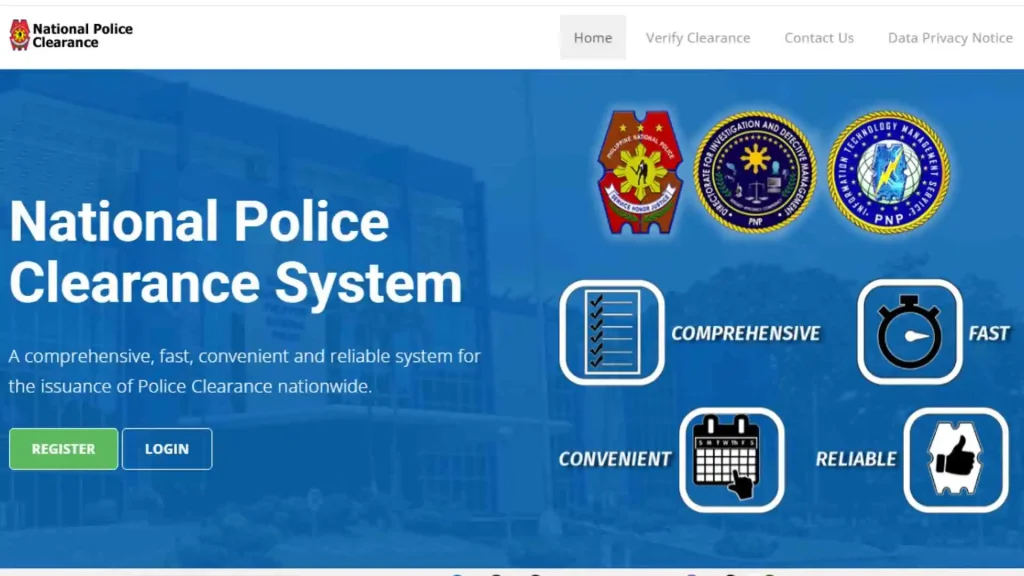
Visit the Official PNP Clearance Website
Open your browser and go to pnpclearance.ph. This is the only official PNP clearance system official website.
Do not use any third-party websites or apps that claim to process clearances on your behalf.
Step 1
2
Create Your Account
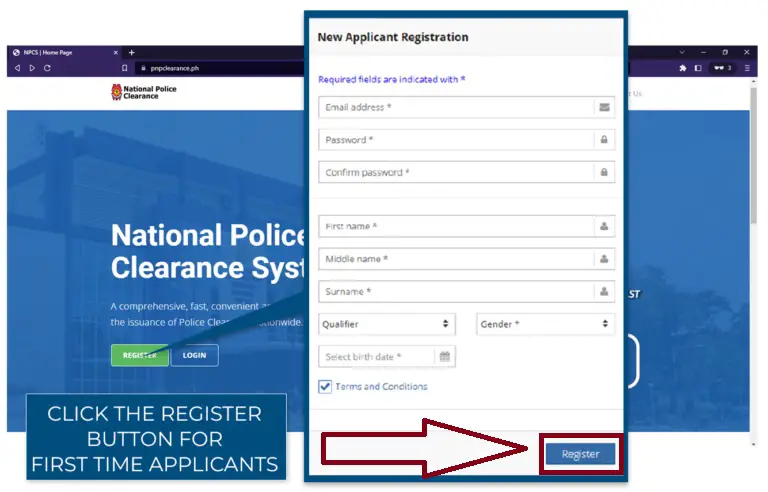
Click on the registered option on the homepage.
You will be asked to enter your personal details including your full name, date of birth, address, and a valid email address.
This email will be used for all communications and for logging in to your account in the future.
Step 2
3
NPCS Login
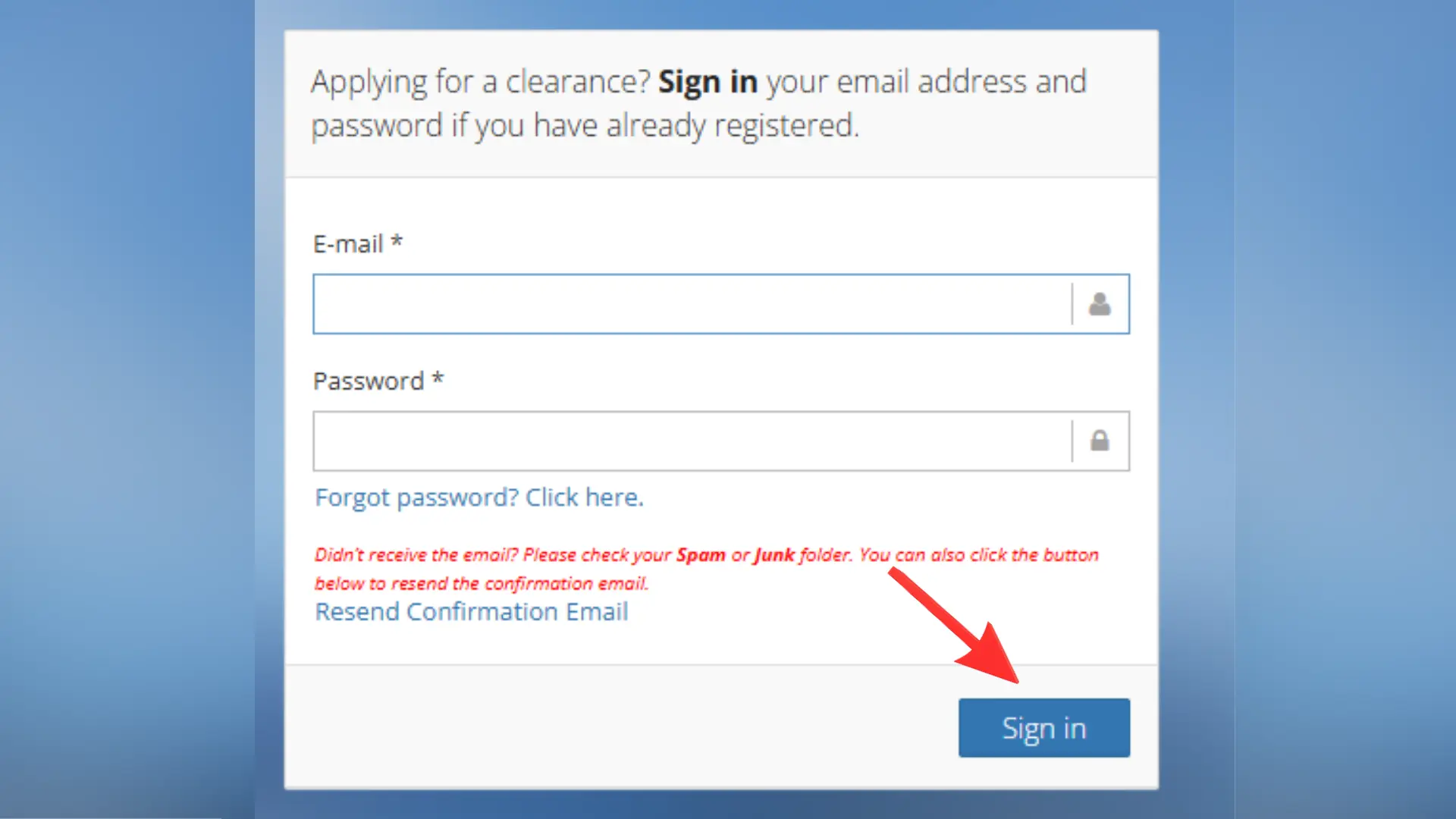
Access your account using verified credentials
Use your registered email and password to securely log into the NPCS portal.
Pro Tip:
Keep your login credentials secure and don’t share them
Step 3
4
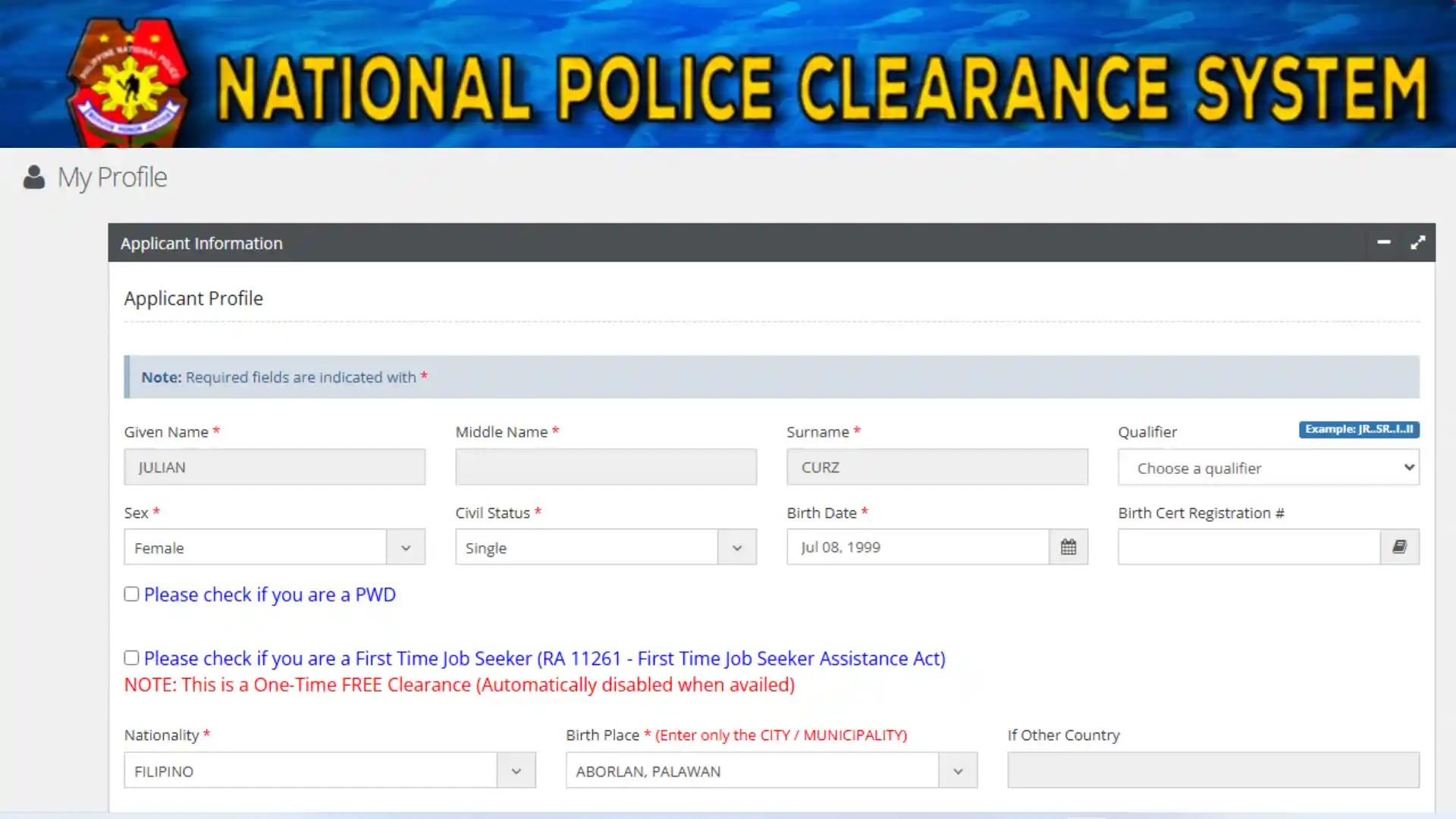
Complete Your Profile
Fill in any remaining details in your profile before proceeding to the application.
Make sure all your personal information matches exactly what is on your valid IDs.
Step 4
How to Apply for PNP Clearance?
Once you are registered and logged in, here is how to complete your PNP clearance online application:
STEP
1
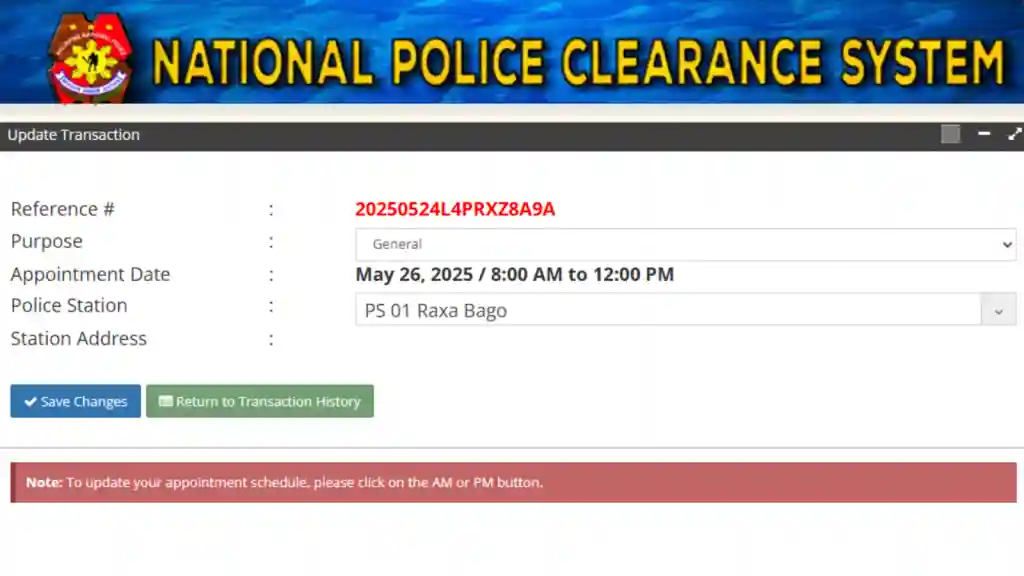
Select New Application or Renewal
Step 1
STEP
2
Choose Your Preferred Police Station

Step 2
STEP
3
Book your PNP Clearance Appointment

Step 3
STEP
4
Upload Your Documents
If you are applying for PNP Clearance renewal then:
Step 4
STEP
5
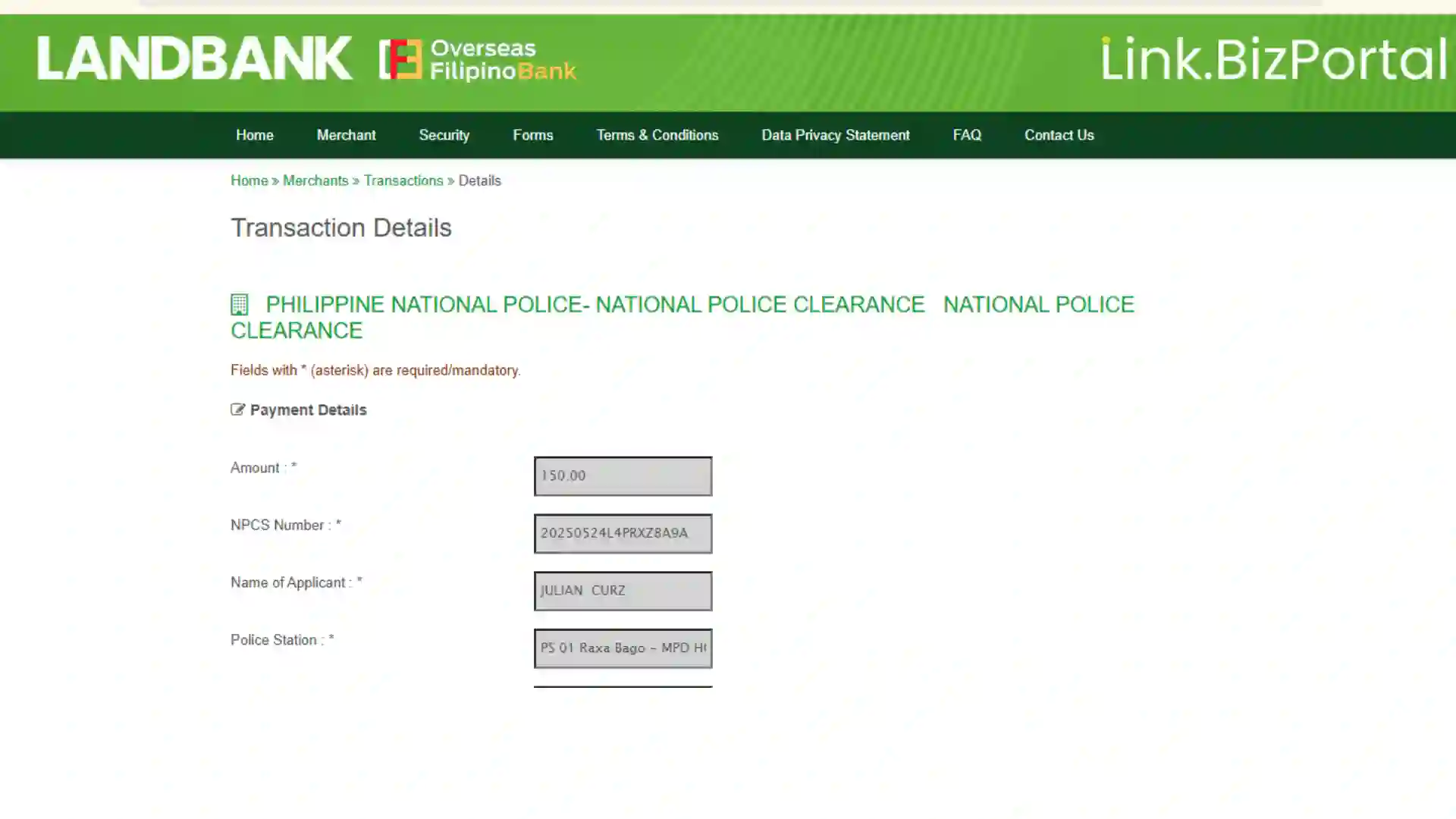
Pay the Application Fee
Step 5
STEP
6
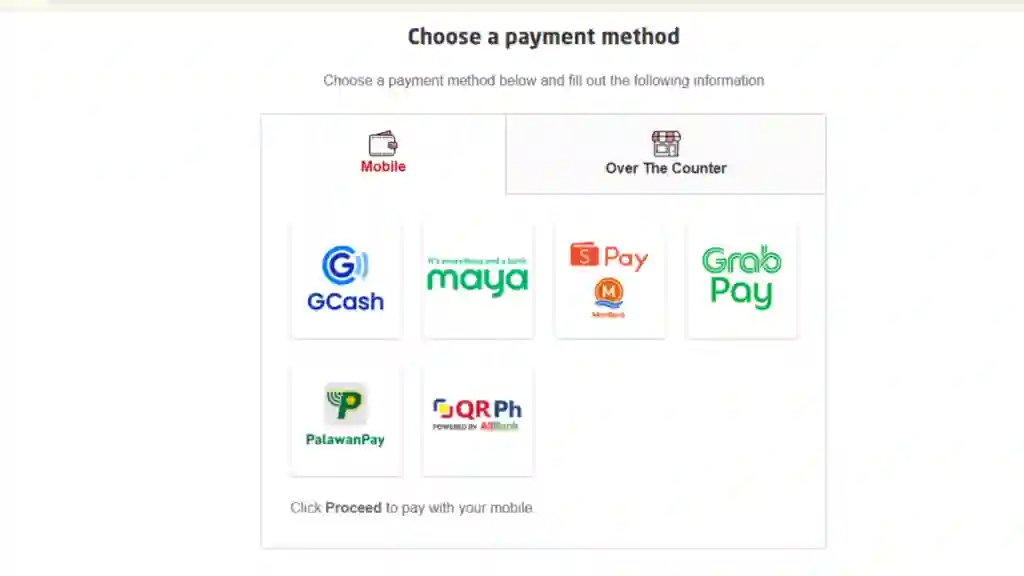
Choose Payment Service
You will see several PNP clearance payment options on the screen. These typically include:
Step 6
STEP
7
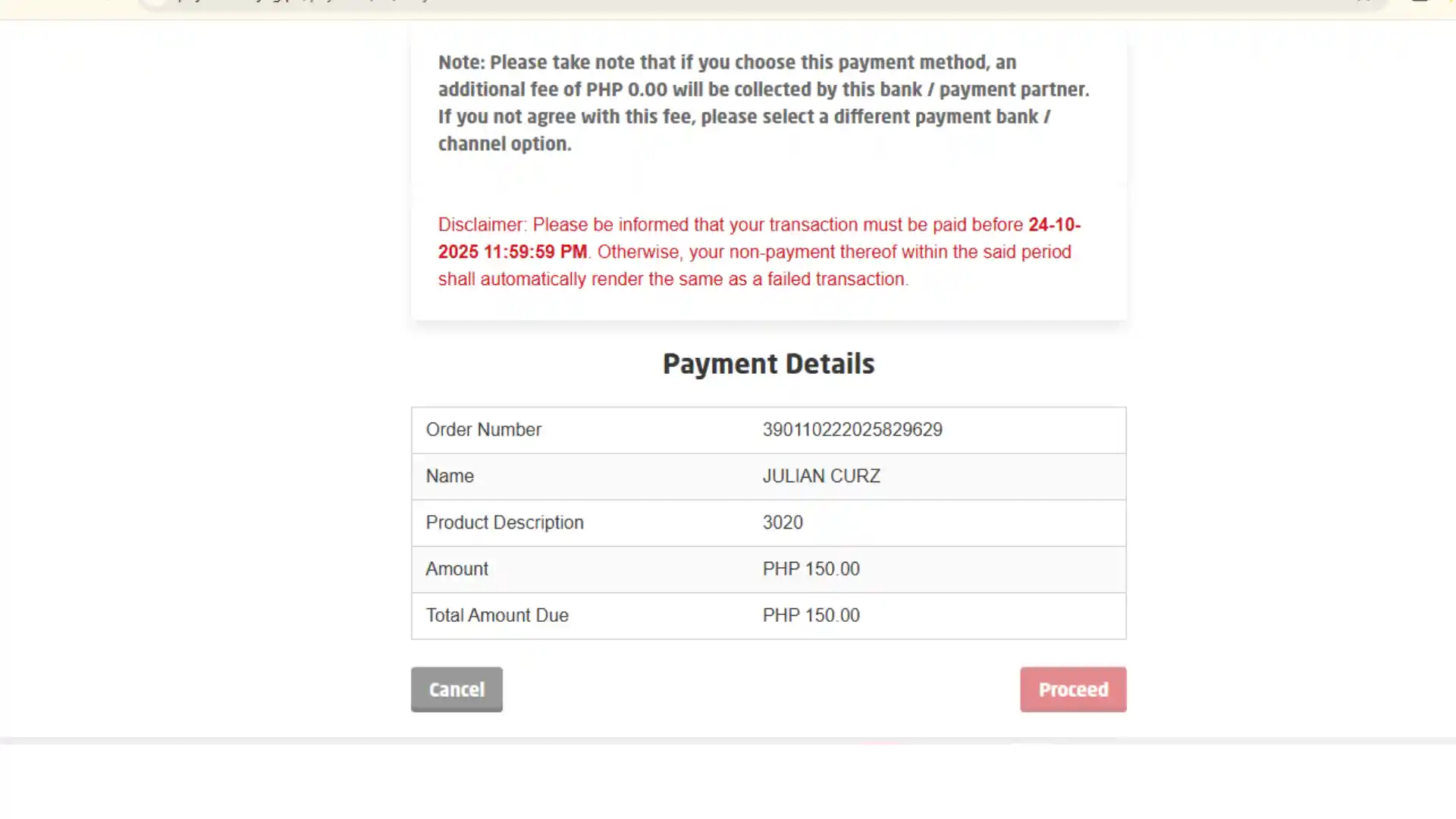
Complete the Transaction
After paying, go back to your Transaction History page inside your NPC account to confirm your payment was successful.
Step 7
STEP
8
Visit the station on Your Appointment Date
Step 8
STEP
9
Download Your Certificate
Once your application is approved, log in to your account and click the Print Clearance button to download your PNP police clearance online certificate.
Step 9
How Much Does PNP Clearance Renewal Cost?
Standard PNP renewal fees and online payment charges for 2026.
₱150
Official Clearance Fee
This applies to both new applications and renewals.
PNP Clearance Validity/Timeframes
Valid from 3 months to 1 year, depending on requirement. Renew as needed for new applications.
If you apply for and pay for your PNP clearance online, the process usually only takes a few days, up to 48 hours.
Where to Apply
Where to Get PNP Clearance
There are two ways to get your PNP clearance. Pick the one that matches your situation.
Online
Apply through the PNP clearance portal at pnpclearance.ph. This is the easiest option for most applicants, especially for renewals.
In Person
Visit a police station near you. If you are a first-time applicant or your biometrics need updating, you will need to go to the nearest PNP clearance station.
First-time applicants must visit a station so the PNP can capture your photo and fingerprints. For renewals, you may qualify for the fully online process depending on how long it has been since your last visit.
Renewal
PNP Clearance Renewal Online
If your clearance has expired, here is what you need to know about renewing it online.
You qualify for online non-appearance renewal if your last in-person visit to a police station was within the past three years.
If it has been longer than three years, you will need to visit a station in person for biometric re-capture.
Steps for Online Renewal
- Log in to your existing account and select the renewal option.
- Choose non-appearance, then upload your new photo and ID selfie.
- Pay the 150 peso fee and wait for verification.
- Once approved, download your new certificate from the Print Clearance button in your account.
Do not create a new account for renewal. Always use your original registered account.
Frequently Asked Questions
Get answers to common questions about the police clearance application process
Conclusion
The PNP clearance system has made getting and renewing a police clearance in the Philippines much more manageable than it used to be. Whether you are a first-time applicant going to a station for your biometrics or someone renewing online from home, the process is clear and straightforward when you know the steps. Use only the official PNP clearance portal, prepare your documents in advance, and you will have your new certificate ready without any unnecessary stress.