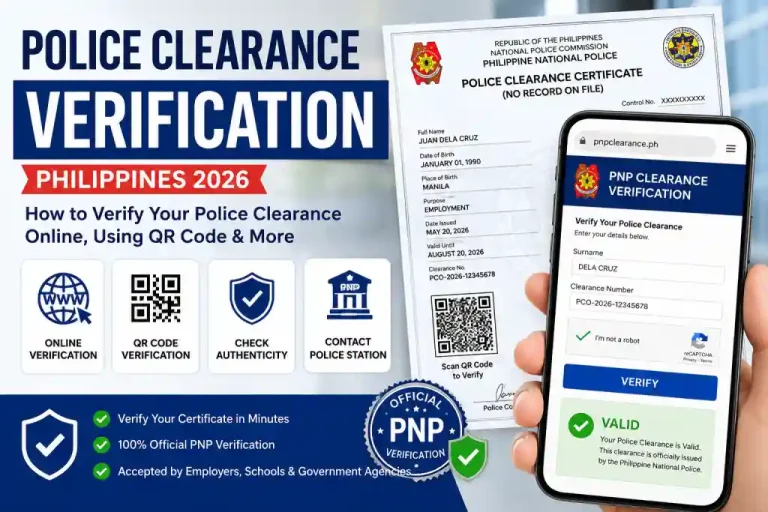
Updated for 2026
PH
How to Apply for a Police Clearance Certificate from Abroad?
Need a police clearance certificate from abroad or overseas? Filipino citizens living or working abroad usually need a police clearance certificate (PCC) for employment, visa, or other legal purposes.
Valid 6 Months
Apply Online
PNP Official
Total Fee
₱150 + ₱30
NPCS Official
PNP Clearance System
What is NPCS?
What Is a Police Clearance Certificate?
A Police Clearance Certificate (PCC) also known as a Police Certificate or Good Conduct Certificate is an official document issued by the Philippine National Police. It confirms whether or not you have a criminal record in the Philippines.
Who Can Apply from Abroad?
This online clearance process is available specifically for Filipino citizens who are currently living or working outside the Philippines, including Overseas Filipino Workers (OFWs), permanent residents abroad, and Filipinos on long-term visas.
Eligibility Criteria
To be eligible, you must:
Be a Filipino citizen
Be a Filipino citizen
Have a valid government-issued ID
Provide proof that you are based abroad (such as a visa or work/resident ID)
How To Apply for Police Clearance Online from Overseas?
The PNP Clearance Online System makes it easy to apply for your clearance anytime, anywhere. Follow the steps given below to apply for police clearance:
1
Visit the Official PNP Clearance Website
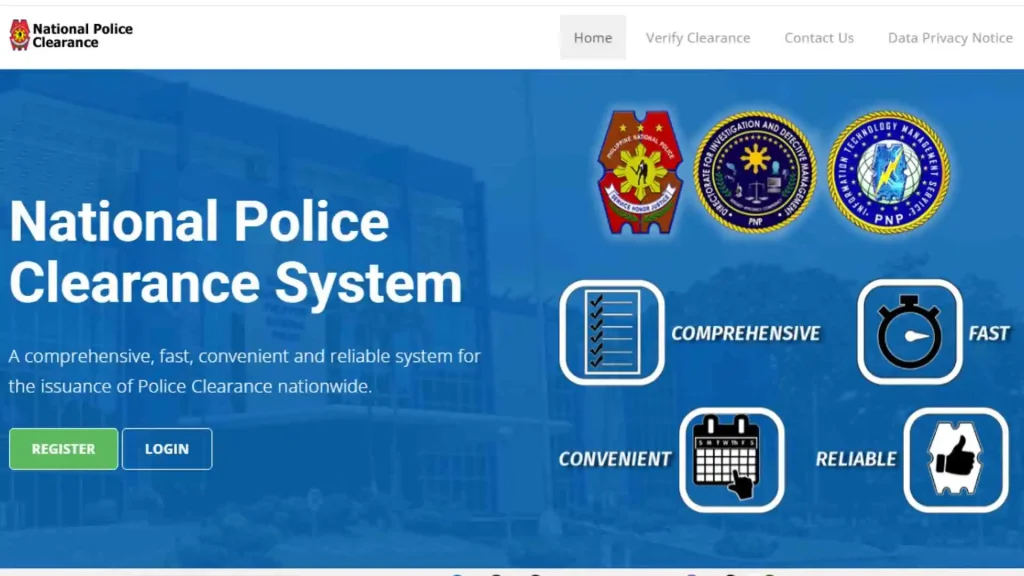
Step 1
2
Register or Log In
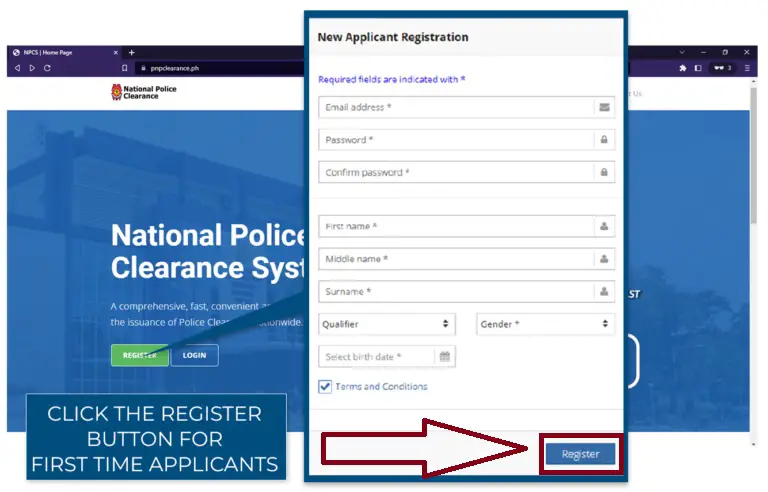
Step 2
3
Enter Email Address
Password
Make sure your password has:
Re-enter your password to confirm.
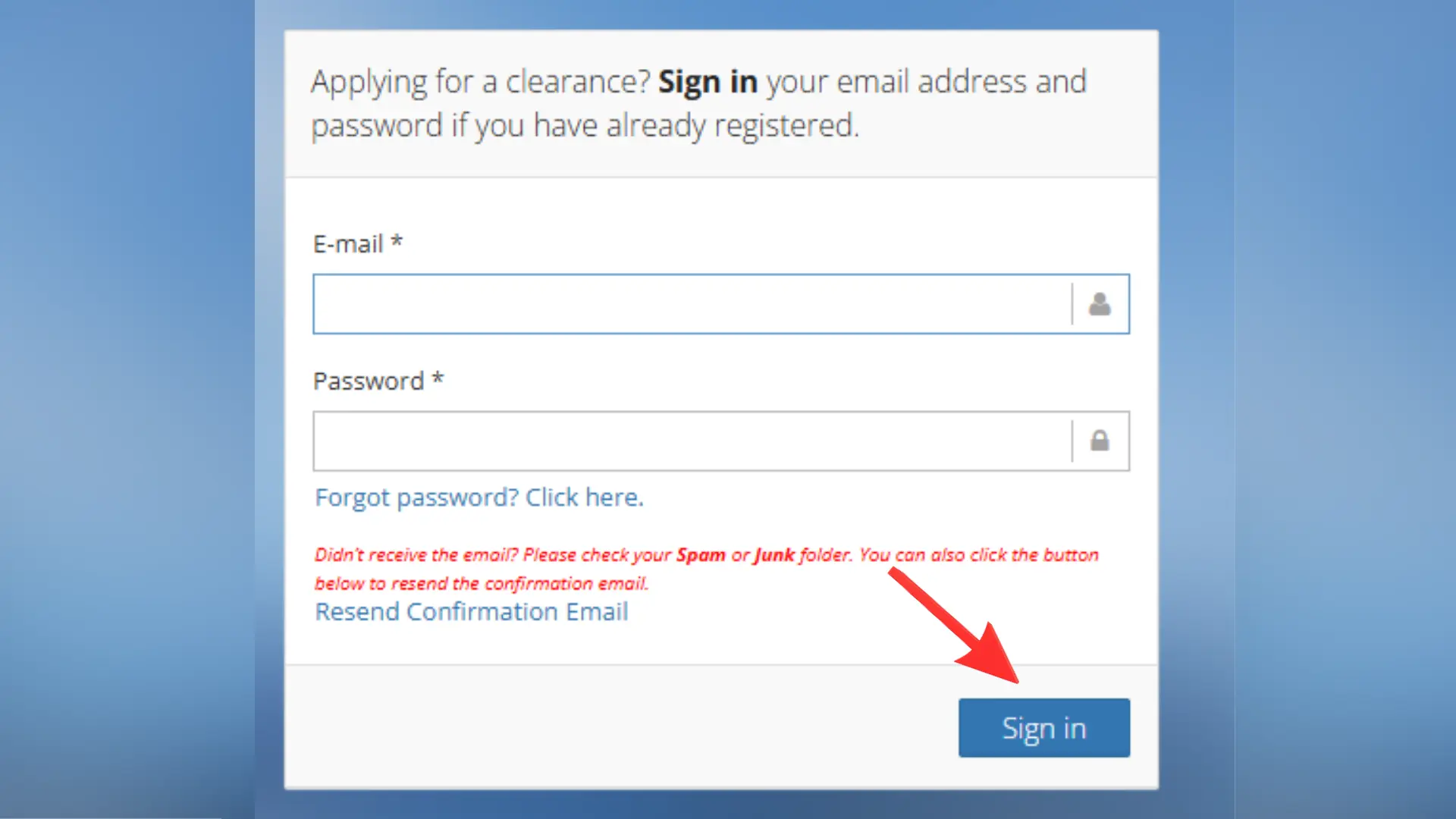
Step 3
4
Complete Your Profile
Complete your profile by entering accurate personal and contact information
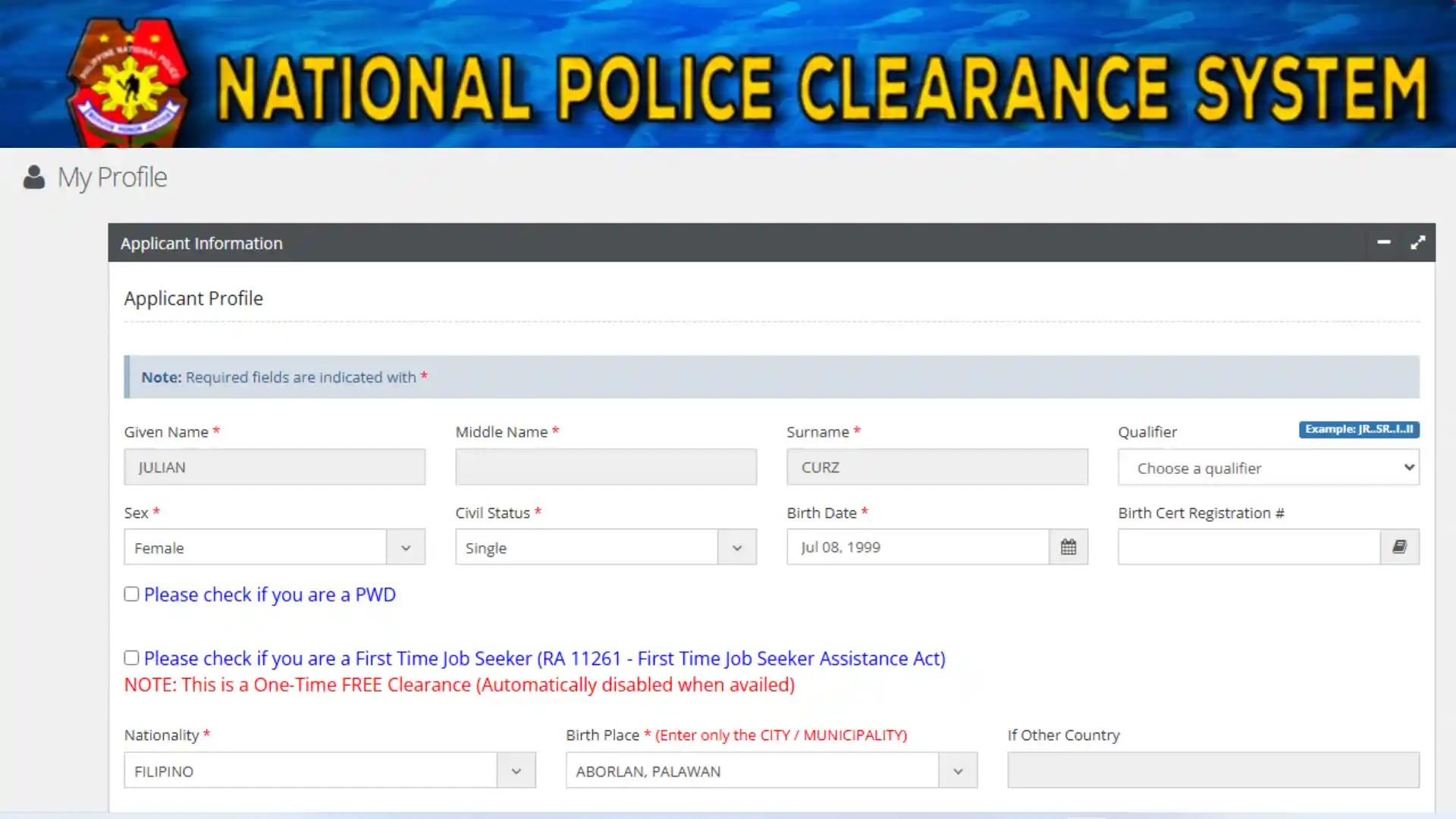
Step 4
How Apply for Your Clearance Certification Abraod (Overseas Process)
Once your profile is complete, proceed to the clearance certification application for overseas applicants.
STEP
1
Purpose of Application
Choose the purpose of your application, such as:
Then, enter your current overseas address.
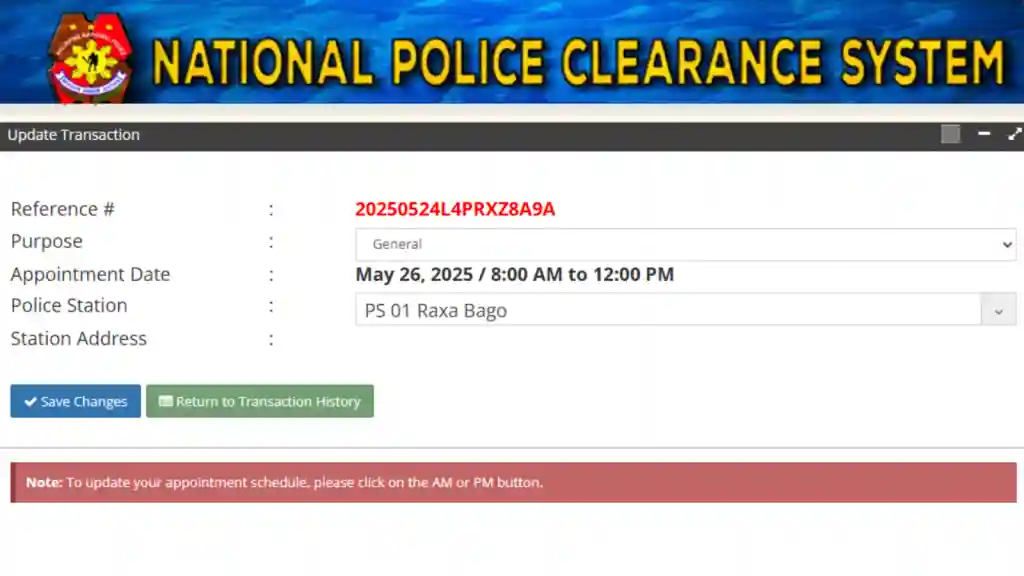
Step 1
STEP
2
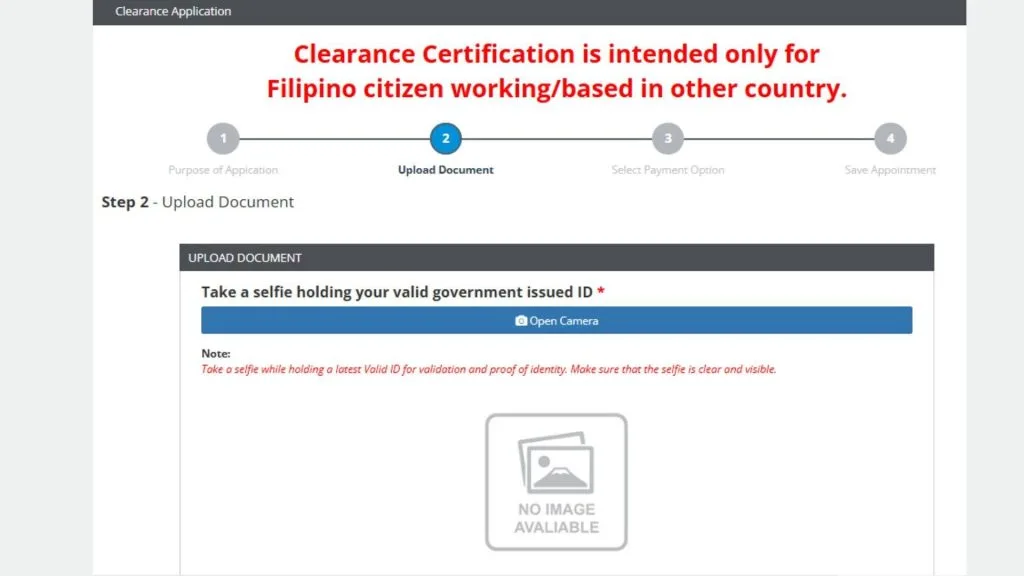
Upload Required Documents
You’ll now be asked to upload specific required documents. Make sure all files are in PDF format and less than 2MB in size
Pro Tip:
before
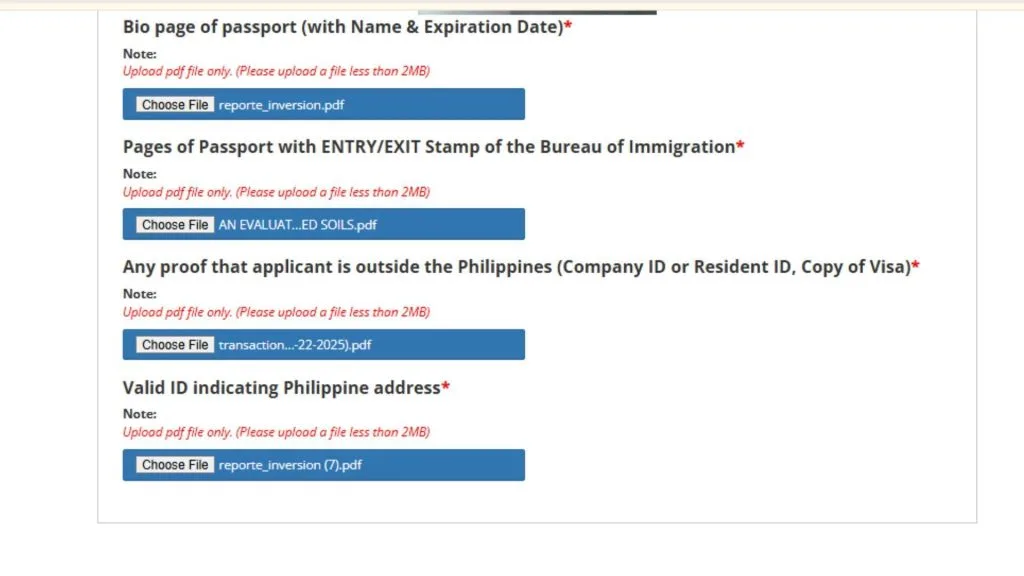
Step 2
STEP
3
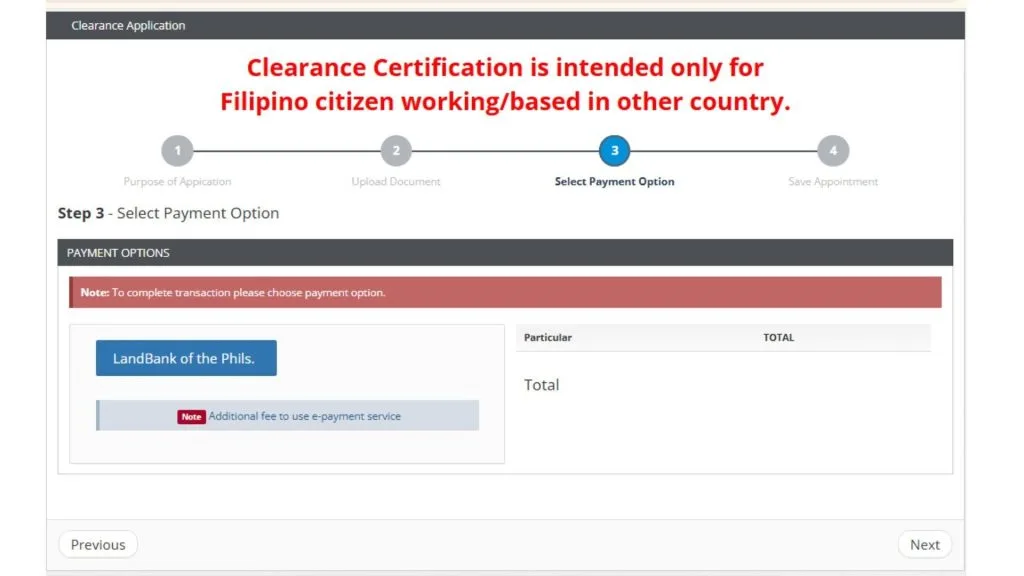
Select Payment Option
After submitting your documents click next to proceed to the payment section. The clearance certification fee is ₱150 from abroad too. However, there is an additional fee of ₱30 if using e-payment services.
Choose your preferred payment option:
If you select GCash, you’ll be redirected to the GCash page to log in and complete your payment.
Online payments usually include an additional ₱30 service charges.
Step 3
STEP
4
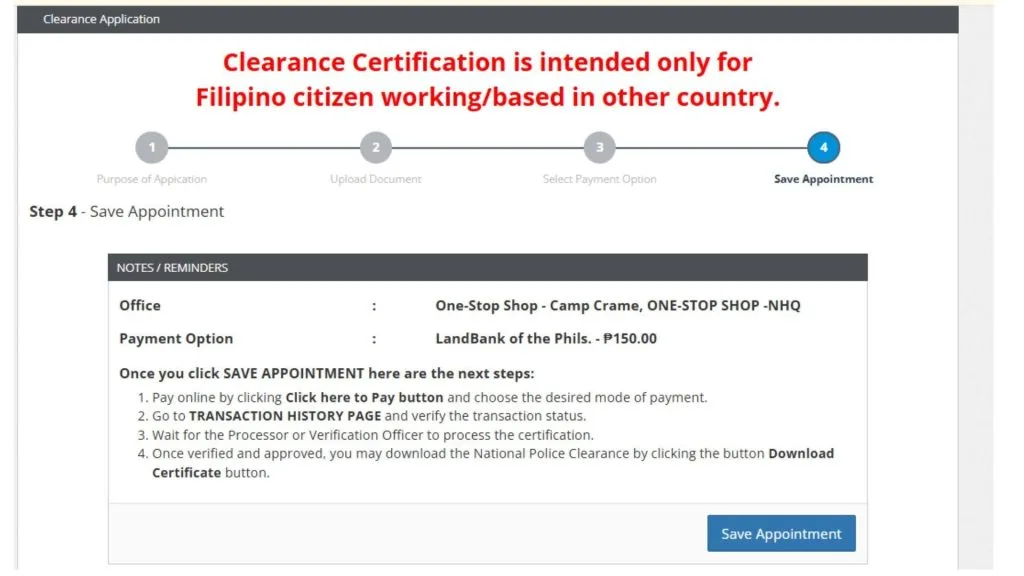
Save Appointment
To conifm your appointment click on pay for or more payment options. Then continue to payment by selecting Landbank of the Philippines as initial payment method (can be changed later).
Step 4
STEP
5
Change Payment Method
After payment, you’ll see the details of your transaction and appointment.
Click save appointment
STEP
6
Print or Save Your Receipt
After payment confirmation, print or save your receipt. It serves as proof of payment and includes your reference number.
STEP
7
Download PPC Certificate
Wait for a verification officer to process your certification.
Once approved, click the download certificate to get your copy.

Step 7
Before You Start
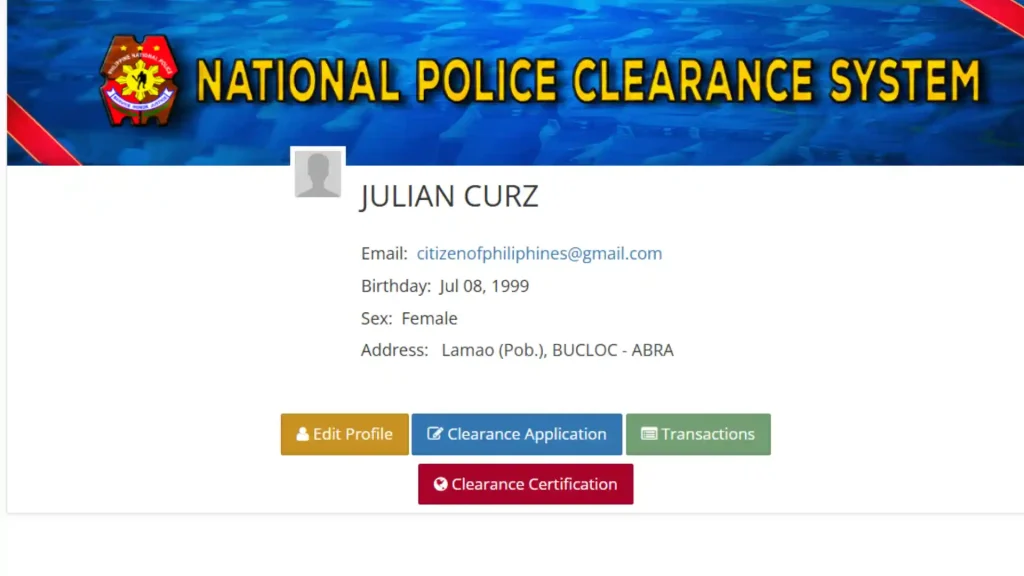
Make sure you have access to your NPCS account
NPCS Login
Enter the email and password used during registration to access your NPCS dashboard.
Edit Profile
Press ‘Edit Profile’ button, verify all your personal details are correct, then click ‘Save Profile’ to update.
Ready to Book Your Appointment?
Follow these 7 simple steps to secure your police clearance appointment slot. The entire process takes less than 10 minutes!
Best Time to Book
Book your appointment early in the morning or late at night when the system is less busy.
Payment Options
GCash is the fastest payment method. Keep ₱30 extra for the online service charge.
Required Documents
Bring two valid IDs, payment receipt, and reference number on your appointment day.
Requirements
Documents You are Required To Upload
Prepare these required documents before your scheduled visit so your biometric verification goes smoothly.
Upload Documents
Upload Selfie
Take a clear selfie while holding your valid ID (like passport or driver’s license).
The image must clearly show your face and ID details.
Passport Images
Upload your passport bio page (with name and expiration date) in PDF format.
Upload pages of passport as PDF with enter/exit stamps from the Bureau of Immigration to confirm your travel history.
Proof that You are Outside the Philippines
Upload any of the following:
Company ID or Resident ID
Copy of your Visa or Work Permit
Valid ID
Valid ID showing your Philippine address
For example: Driver’s License, National ID, or any government ID with your local address.
How Apply for Your Clearance Certification Abraod (Overseas Process)
Once your profile is complete, proceed to the clearance certification application for overseas applicants.
Fees & Time
Processing Time and Fees
Processing times can vary depending on application volume and the thoroughness of your submitted documents. If your application receives a “Hit” status due to a name match in the PNP criminal database, additional manual verification may be required and could take longer.
Total Fee
₱180
The standard fee for the application is P150, with an additional online service charge of up to P30, depending on the payment channel you choose. Once your application and supporting documents have been submitted, processing typically takes 1 to 5 working days, provided that all documents are complete, accurate, and clearly readable.